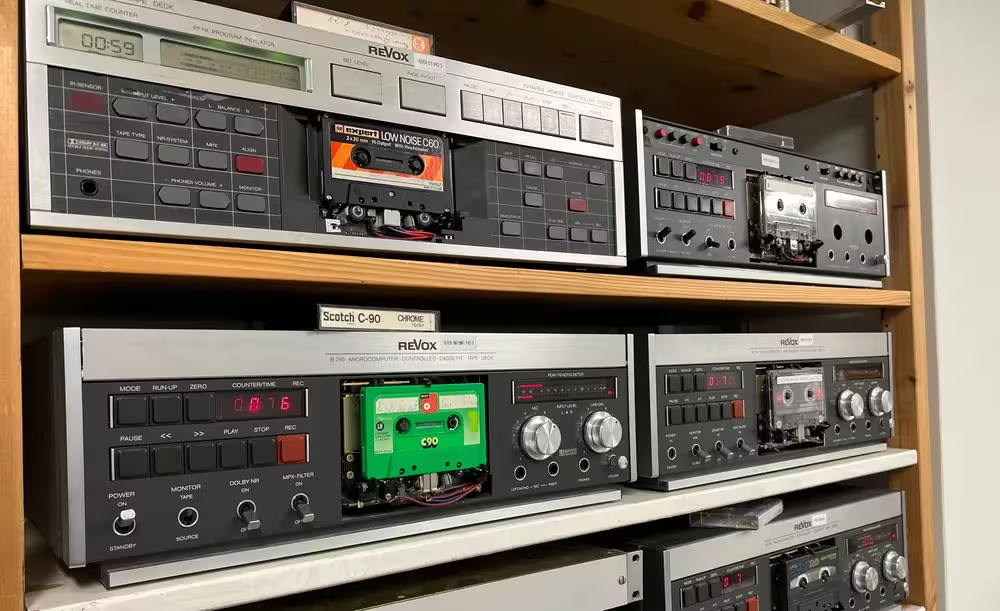
Cassette Tape Digitization: A DIY Guide
You need at least a cassette deck, an audio interface, a computer, and a lot of time. The cassette plays at normal speed on the deck. The audio signal travels from the deck’s line outputs to the audio interface. The interface converts the analog signal into digital. The computer saves this digital signal as a WAV file. The result is an identical copy of the cassette’s audio content.
A Suitable Cassette Deck
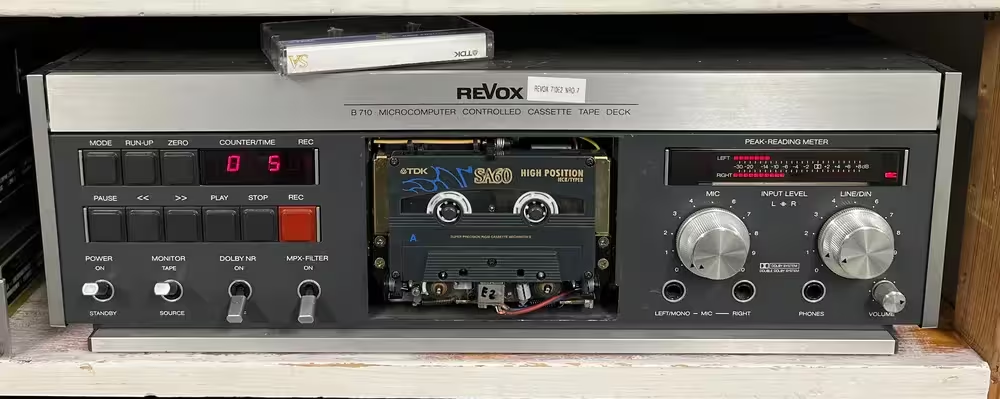
The cassette deck must reproduce the tape exactly as it was recorded. Any playback errors cannot be fixed later. According to IASA specifications, the deck must reproduce the full frequency range of 30 Hz to 20 kHz within +2 and -3 dB. Wow and flutter must stay below 0.1% weighted. The deck must support Type I, II, and IV cassettes and at least Dolby B and C noise reduction.
Meeting these requirements takes work. The deck must be restored and calibrated using official test cassettes as reference. Sounding good to the ear is not enough.
Regular maintenance is also essential. Clean the heads every 4 hours with isopropanol. Demagnetize every 8 hours. Check the tape path alignment every 30 hours. Have the deck fully serviced twice a year. These steps keep the deck performing within the specifications above.
Audio Interface and A/D Converter
The audio signal goes from the deck’s line output to the audio interface. This is where analog-to-digital conversion happens. The converter must not add anything to the signal. The digital version must match the analog original as closely as possible. According to IASA quality specifications, the A/D converter must meet these requirements:
- THD+N below -105 dB unweighted at -1 dBFS with a 997 Hz signal, or below -95 dB at -20 dBFS
- Dynamic range at least 115 dB unweighted and 117 dB A-weighted
- Frequency response within +/- 0.1 dB from 20 Hz to 20 kHz and +/- 0.3 dB from 20 kHz to 40 kHz at 96 kHz sample rate
- IMD (Intermodulation Distortion) below -90 dB
- Level linearity within +/- 0.5 dB from -120 dBFS to 0 dBFS
- Harmonics below -130 dBFS with a 997 Hz test signal at -1 dBFS
- Sample rate clock accuracy within +/- 25 ppm
- Jitter below 5 ns at the output
The conversion is usually done at a minimum of 48 kHz sample rate and 24-bit depth. Higher values are fine too. A 32-bit float converter is another option. It captures quiet signals with full accuracy and prevents clipping on loud signals.
Playback Head Azimuth Adjustment
This is the most important step in the entire process. If the playback head azimuth does not match the recording azimuth, high frequencies are lost. There is no way to recover them afterwards.
Azimuth means the horizontal tilt of the playback head relative to the tape. Factory alignment should be perfectly level, but most often it is not. The recording deck’s azimuth may have been off from the factory, or someone may have adjusted it later.
For this reason, azimuth must be adjusted for each cassette individually. If one cassette contains recordings made on different machines, each segment needs its own adjustment. Sometimes even the two sides of a cassette need different settings because the shell has warped over time.
The importance of azimuth adjustment cannot be overstated. Even the cheapest deck with correct azimuth will outperform the best deck with wrong azimuth.
Service manuals show which screws control the azimuth. On better decks, you can adjust it easily during playback. Find the correct position by listening to the tape and watching a spectrogram at the same time. The right spot is where the highest frequencies sound the loudest. Fine-tune by turning the screw the same amount in each direction. When the high frequencies drop equally both ways, the correct position is in the middle.
If you pay someone to digitize your cassettes, make sure they adjust azimuth individually for each cassette.
Here is a digitization where the azimuth was left in the default position and not adjusted for the tape:
The same tape digitized with correct azimuth adjustment:
Computer
The computer is the last link in the chain. It saves the digital signal from the audio interface as an uncompressed WAV file. No special hardware is needed for this step alone. However, if you plan to do post-processing on the digitized audio, you will need a reasonably powerful machine.
Performing the Digitization
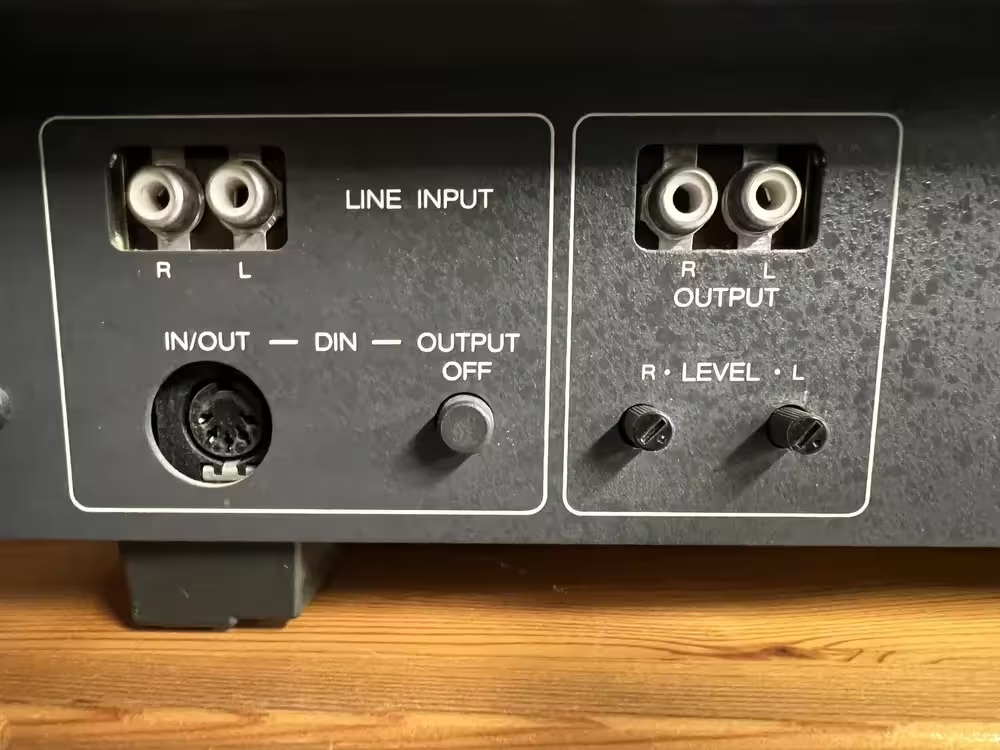
Connect audio cables from the cassette deck’s line outputs to the audio interface’s line input. The outputs are usually labeled “Line out” or “Output” on the back of the deck. Left and right channels have separate connectors.
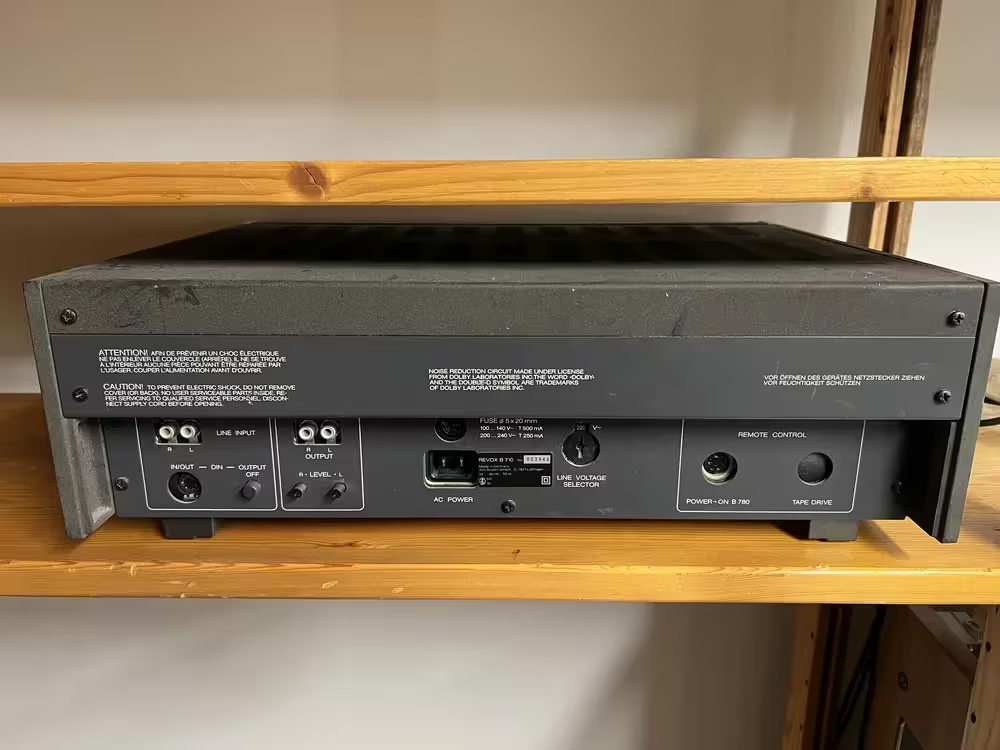
Most cassette decks use RCA connectors for line output. They look like this.
A standard computer sound card usually has a 3.5 mm stereo jack for line input. It is typically marked with blue color. In that case, you need a cable with 2x RCA on one end and a 3.5 mm plug on the other.
Set up the audio interface. Select line input as the source, set levels to 0 dB, and choose 32-bit float bit depth. If you are using a regular sound card, there are usually no adjustable settings. Just use the defaults.
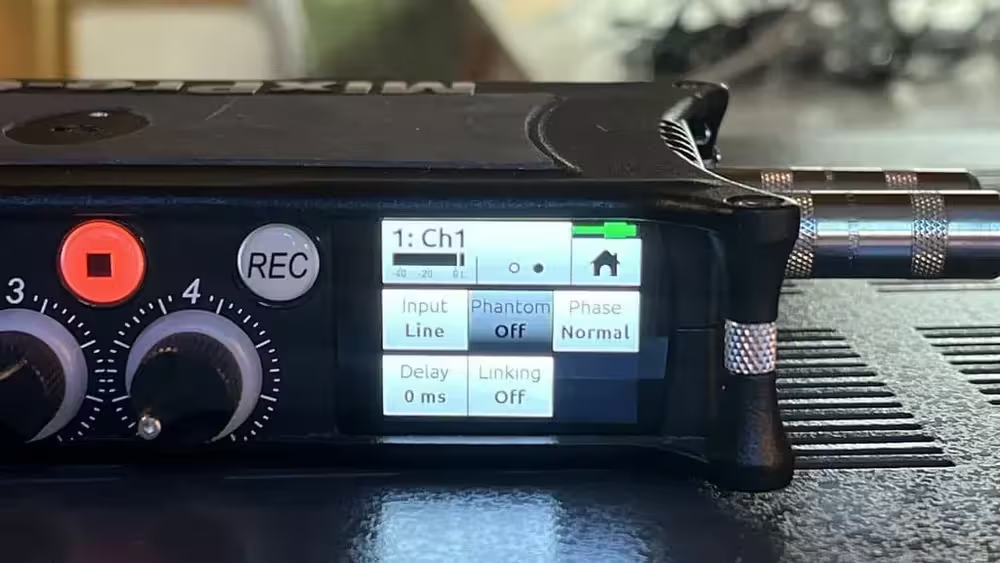
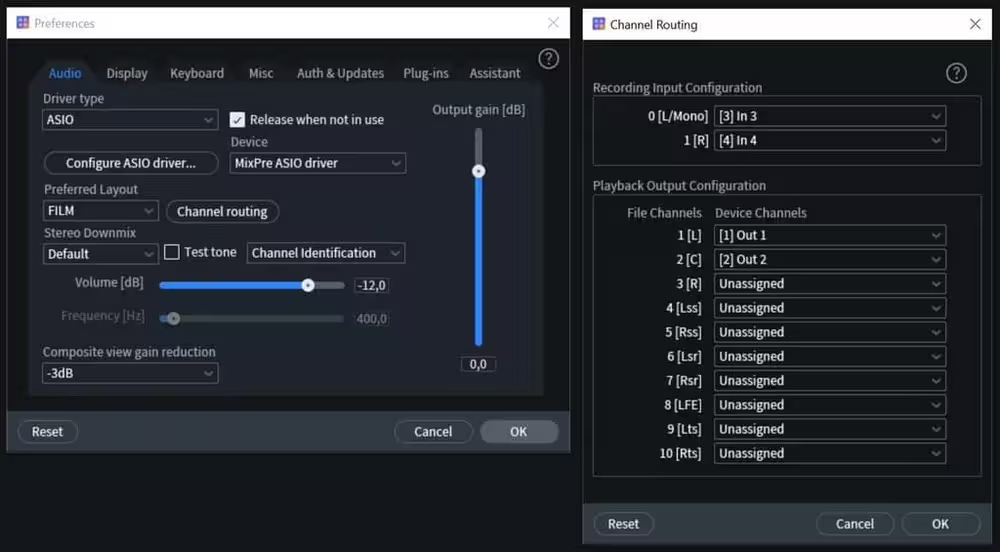
Record the audio on your computer using iZotope or free software like Audacity. Set the audio source to your interface and configure the input channels to match your cabling. With a standard sound card and Audacity, the default settings usually work fine.
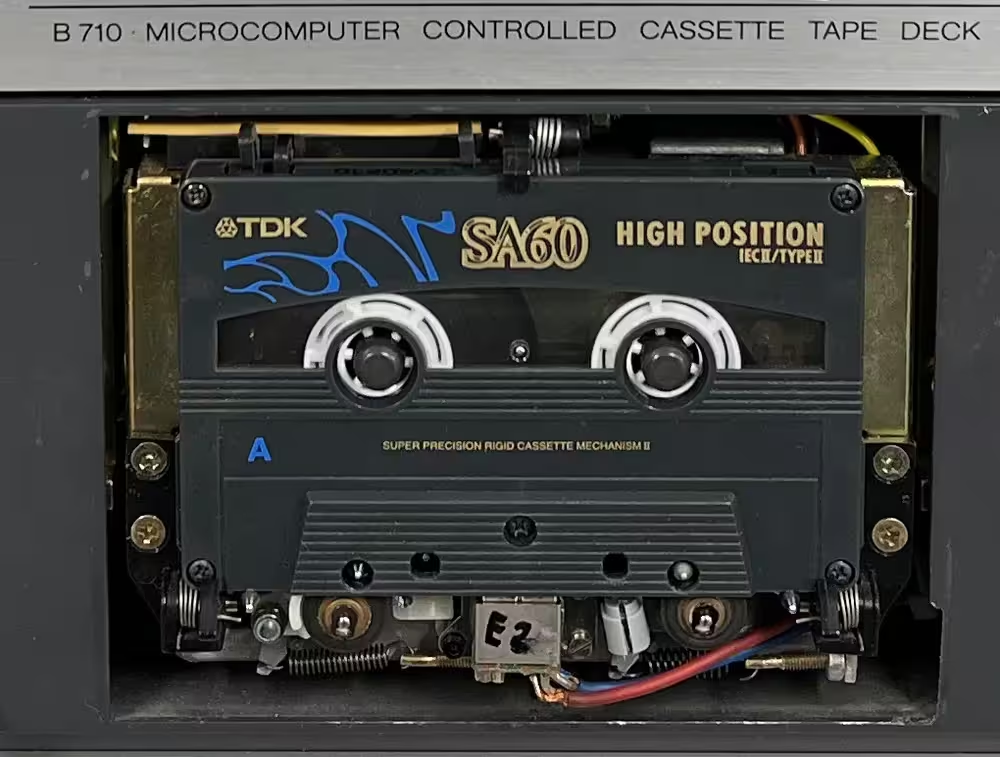
Load the cassette into the deck.
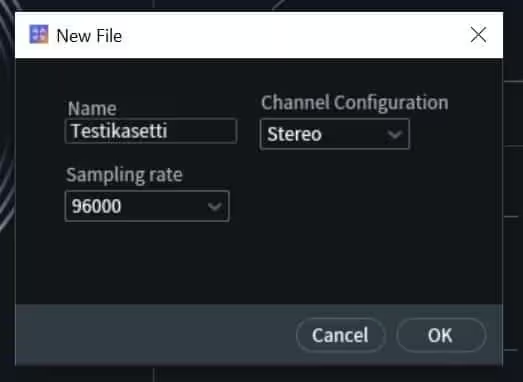
In iZotope, create a new project for the cassette and select the sample rate. Then start recording the audio signal from the interface.
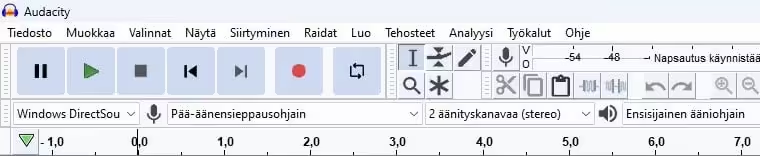
If you are using Audacity, press the red record button to start capturing the line input.
Once the computer is recording, press play on the cassette deck. Play the entire cassette on both sides at normal speed.
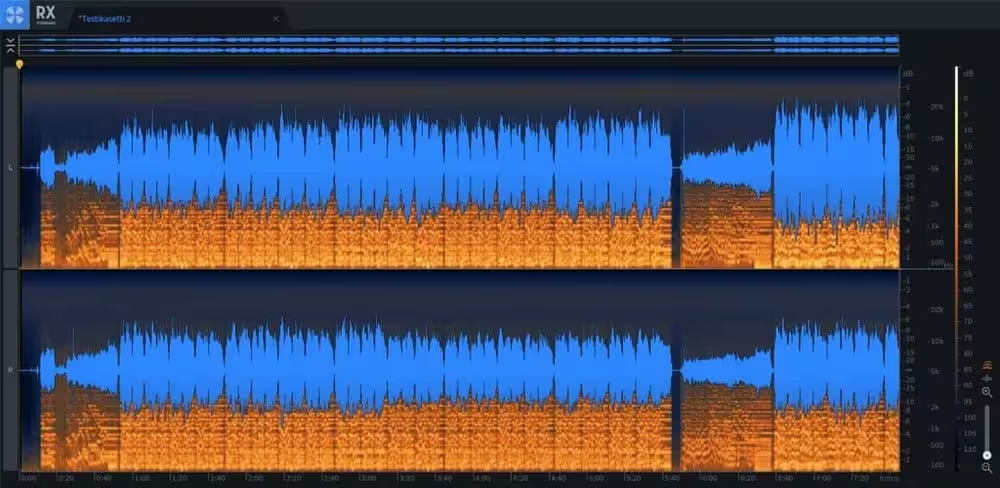
The finished recording looks like this on a spectrogram.
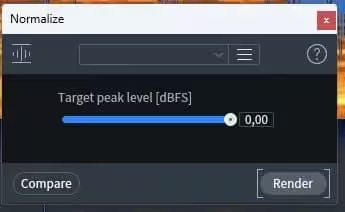
Since we recorded at 32-bit float, we can normalize the audio to 0 dB without any quality loss.
Save the file as an archive-quality WAV.
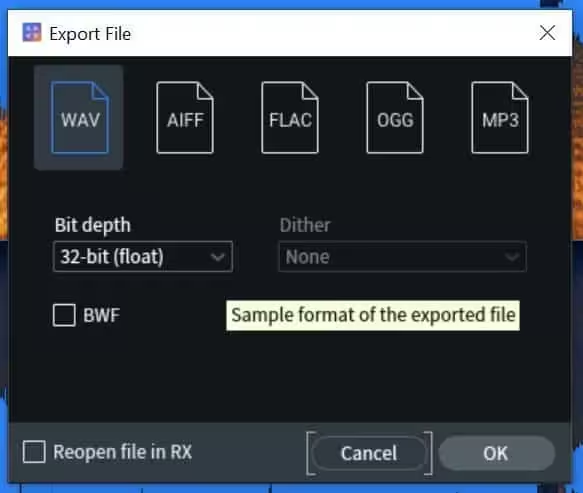
The digitization is now complete. No post-processing has been applied yet, but it can be done if needed.
This cassette contained church organ music recorded at home. Here is how it sounds after digitization:
For comparison, here is the same cassette digitized with a cheap consumer device that meets none of the quality requirements described above:
Need Professional Audio Digitization?
We offer IASA-compliant digitization services for archives, museums, and libraries across Europe.
Get a Quote